how as3 works
How AS3 works
Building assets and putting them on the stage
- Up
- Previous Lesson: Getting Started
- Next Lesson: Making it move
Where AS3 Came From
If you don't care, if you don't want a little dribble of context, feel free to skip this paragraph. Actually, I'll skip this paragraph to start with and see if I come back to it. ;) The short of it is: flash was made for designers to make animations in. And then bits of interactivity were added to it. And then code, and then more code, and now it's actually a proper language to do development in if you're a programmer. If you run into anyone talking about the timeline, just accept that they're a designer and ask them to wrap it in a MovieClip and export that as a swf. ;)
The flow of AS3 (simplified)
Today's code: as3-tut-01.zip
AS3 (Action Script 3) has come into its own as a proper object-oriented language. The entry point is the class that you specify to the compiler (mxmlc), and more specifically (other than static initializers), that class's constructor.
AS3 follows Java's "package" nomenclature (org.erif translates to "I put this class in the directory erif under the directory org, and the namespace of org.erif is safely mine because I have that website.) Don't worry about it too much. For starters, we'll be doing everything in the "default" package, but we'll be "importing" classes from other packages to get things done.
The simplest, most worthless bit of proper as3 code looks something like the following (let us say this is the file Main.as)—
package {
	public class Main {
	}
}
Note: classes are (nearly) always defined in a file with the same name (.as)—case sensitive
One thing to remember is that Flash was first designed for animation. That sets the mode for a lot of the nomenclature and concepts. For instance, the "stage" is the root display element of your to-be-compiled swf. You add DisplayObjects to the stage, and they show up. You can nest DisplayObjects in DisplayContainers and move them around as sets. And your main class will typically extend MovieClip.
Flex adds a few weird-ish things to as3 for embedding resources (like images, sounds, fonts, etc.) and for specifying bits about the SWF. So to pull out the tutorial code (well, parts of it, ...):
package {
// below line gives you access to the namespace flash.display, which includes
// things like "Sprite", and "MovieClip"
import flash.display.*;

//and this line is used by mxmlc, barring other parameters, to define
//the compiled-swf's width, height, framerate, and background color
//FlashDevelop overrides this with its own parameters to mxmlc via the
//.as3proj file, I believe
[SWF(width="640",height="480",frameRate="30",backgroundColor="#000000")]

//here's our class (one public class per file; generally one class per file)
public class Main extends MovieClip {

	//compile-time stores the file into your swf for access
	//supports png, gif, jpg, and some minor elements of svg (partially deprecated)
	//also supports mp3, ttf, and such (see the zip'd src)
	[Embed(source="smiley2.png")] private var myGraphic:Class;

	//class constructor is a function, doesn't specify return type
	//this is our swf's entry point when run from the flash player
	public function Main() {

		//"casting" types can be done with "as" or c-style (type)
		var graphic:DisplayObject = new myGraphic() as DisplayObject;

		//your entry class will be added to the stage; a MovieClip
		//is a DisplayContainer, so you can add DisplayObjects (like our
		//graphic) to it :)
		graphic.x = 320;
		graphic.y = 240;
		addChild(graphic);

	}

} // end class scope

}// end package scope
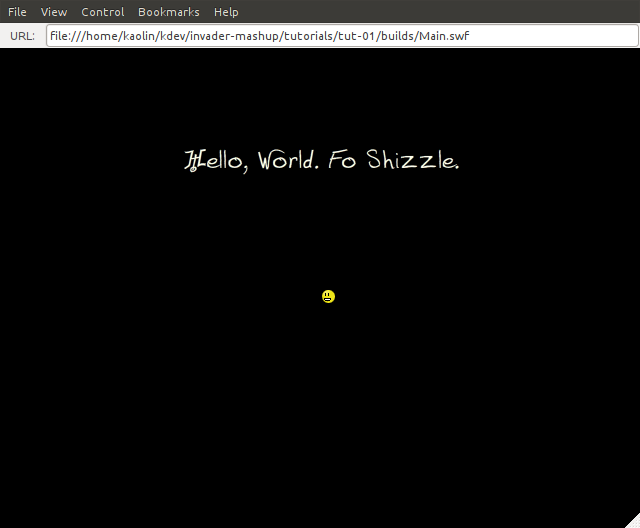
Ready? Go compile that (see below as needed) and see what happens. Then unzip the sample, compile it with all its extra goodies, and see what happens. There's more info in the zip. I'll explain more details as we go, but making stuff interact will be the next tutorial. As it is, everything will just sit there.
How to Compile
FlashDevelop
Okay, FlashDevelop won't magically compile code that you paste into it. You need to set up a project. FlashDevelop has a bunch of beautiful little project templates, but let's start more basic than that (more basic than the .zip, even).
- Go to New Project->"AS3 Empty Project" (or something to that effect)
- Create a new directory or choose one that your AS code and assets (png,mp3,etc) are in. FlashDevelop's empty template does nothing more than create a single FlashDevelop project file (which is relatively legible xml). Default framerate, background color, etc, are fine. We'll talk about those next lesson.
- Create a new file, Main.as (or MyProject.as if you name your class MyProject, etc), then right click on it in the project vide and choose "set document class". That marks it (its constructor) as the entry point.
- Set Project->Properties "output" file - "Main.swf" or "Foozle.swf" (does not have to have any relation to the class names, etc.)
- Now you can Project->Build to compile (or F8)
- And you can Project->Test to run (or F5)
or by hand....
If you're not using an IDE, or you just want to see a few more of the details, then you're want to run mxmlc:
mxmlc -compiler.as3=true -compiler.debug=true -static-link-runtime-shared-libraries=true -o Main.swf Main.as
Getting the debug output can be a pain with this, especially on OS X, and I should document that a little more if I haven't already.... But for now, we'll ignore that.
There's more options in the build.sh I put in the zip for keeping things separate (like a source directory, a builds directory...and there will be more interesting/complex options as we go along)
If you missed the zip, see "Today's code: as3-tut-01.zip" up towards the top.